Circle Frame Decorative Design: A Practical Guide to Getting It Right
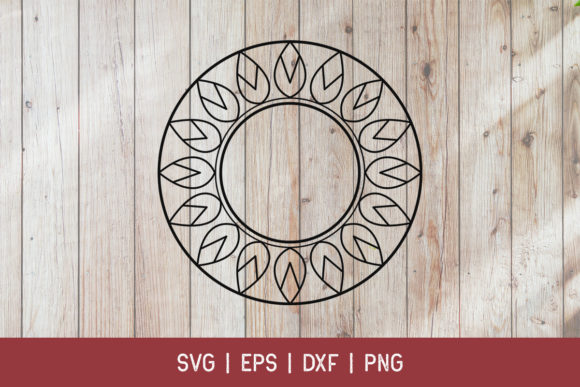
If you are looking for a versatile element that instantly elevates any visual project, the Circle Frame Decorative Design is an essential asset. Unlike rigid geometric shapes or complex illustrations, a circular frame offers a sense of unity and focus that draws the eye naturally toward your content. Whether you are designing a social media post for a small business, creating a logo for a new brand, or crafting educational materials for a classroom, this design serves as a foundational piece that adds polish without overwhelming the message.
However, simply downloading a graphic file does not guarantee success. Many creators rush into using decorative frames without understanding the technical nuances of vector formats versus raster images. This often leads to blurry logos on large banners or designs that cannot be adapted for different color schemes. To ensure your projects look professional from the start, it is crucial to understand what you are buying, how to utilize the specific file formats provided, and what pitfalls to avoid when integrating these elements into your workflow.
The Critical Importance of File Formats
One of the most common mistakes beginners make is assuming all image files are created equal. When you acquire a Circle Frame Decorative Design, the value lies not just in the artwork itself, but in the variety of formats included. Receiving a single JPEG or PNG file limits your ability to scale or edit the design later. In contrast, a comprehensive package provides flexibility that saves time and money in the long run.
Let us break down why each format in a high-quality set matters:
- EPS and SVG Files: These are vector formats. They are mathematically defined rather than made of pixels, which means you can resize them from a tiny icon to a massive billboard without losing any sharpness. More importantly, with vector files, you have full control over the stroke thickness. If the original design has thick lines but your project requires delicate details, you can easily adjust the weight directly in software like Adobe Illustrator or Inkscape. You can also change the color instantly to match your brand palette without needing to trace the shape again.
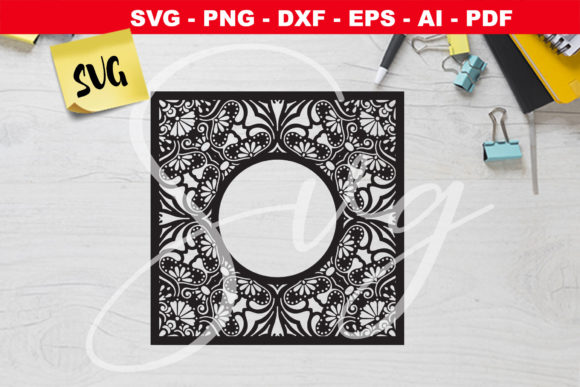
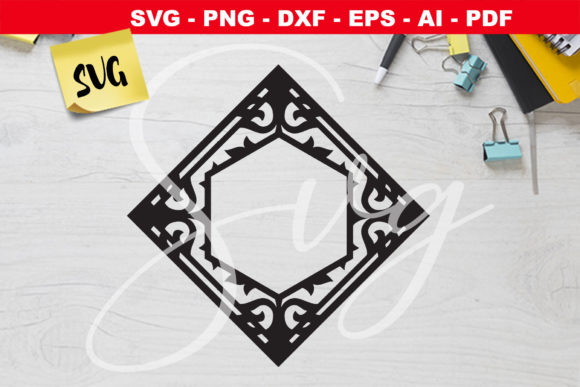
- DXF File: This format is specifically designed for computer-aided design (CAD) and laser cutting machines. If you plan to turn your digital design into a physical product—such as a wooden sign, a metal cutout, or a 3D print—the DXF file ensures that your machine reads the geometry perfectly. Skipping this step can result in wasted material and failed cuts.
- PNG with Transparent Background: While useful for quick web use, relying solely on a PNG is risky if you need high resolution. The included PNG here is high-resolution at 300 dpi and measures 3600×3600 pixels. This makes it suitable for printing flyers or posters where transparency is needed, but remember that it is still a raster image. If you stretch this beyond its original dimensions, it will pixelate.
Avoiding Quality and Usability Pitfalls
Many users overlook the distinction between "viewable" quality and "editable" quality. A low-quality download might look fine on a phone screen but will fail miserably when printed. A standard 72 dpi web image will appear jagged and unprofessional on a large-format print job. By choosing a design that includes a 300 dpi version at 3600×3600 pixels, you eliminate the risk of purchasing assets that force you to compromise on print quality later.
Another frequent error involves ignoring the stroke properties of the design. In many decorative frames, the aesthetic appeal relies heavily on line weight. If you import a design that is locked or flattened into a single layer, you lose the ability to modify those strokes. This is why having access to the EPS and SVG files is non-negotiable for serious work. Without them, you are stuck with the designer's exact choices regarding line thickness and color, even if they do not fit your current project needs.
Consider the scenario of a marketing manager who needs to update a campaign theme. If their previous graphics were purchased as simple images, they might spend hours trying to recreate the frame or settle for a version that looks slightly off-brand. With a proper vector package, changing the color scheme takes seconds. You select the frame, open the color panel, and apply your new brand hex code. This efficiency translates directly to better presentation and faster turnaround times for clients.
Evaluating Your Needs Before You Decide
Before finalizing a purchase or download, take a moment to assess how you intend to use the Circle Frame Decorative Design. Are you planning to use this primarily for digital screens, or will it be printed on merchandise? If it is for digital use, the transparent PNG is likely sufficient, provided you stick to standard screen resolutions. However, if there is any chance of printing, the 300 dpi requirement becomes critical.
Furthermore, think about the editing environment you will be working in. If you are a hobbyist using basic photo editors, you might struggle with vector files unless you convert them first. In this case, the high-resolution PNG is your best friend. But if you are a professional using industry-standard software, the lack of vector files would be a significant drawback. Always verify that the package includes the formats compatible with your workflow to avoid frustration.
It is also wise to check the complexity of the design relative to your intended application. A highly intricate decorative frame might look stunning on a poster but could become muddy if scaled down too small for a mobile app icon. The beauty of the vector versions (EPS/SVG) is that they allow you to simplify the design by removing unnecessary details or adjusting the stroke width to ensure clarity at smaller sizes. Without editable vectors, you are forced to choose between a detailed design that doesn't work at small scales or a simplified version that lacks character.
Maximizing Value Through Versatility
The true power of a complete design package lies in its adaptability. A single Circle Frame Decorative Design should serve multiple purposes across different mediums. Imagine a freelancer who creates branding kits for clients. With one purchase, they can provide a client with a crisp logo (using the vector), a high-quality profile picture (using the transparent PNG), and instructions for a custom laser-cut sign (using the DXF). This versatility reduces the cost per project and increases the perceived value of the service.
Additionally, the ability to edit stroke thickness allows for creative experimentation. You might start with a bold, heavy outline for a headline graphic and then soften the same design with thinner lines for a background element. This level of customization is impossible with static images. By ensuring your source files allow for these adjustments, you maintain creative control and prevent your work from looking generic or mass-produced.
In summary, when evaluating options for a Circle Frame Decorative Design, look beyond the preview image. Pay close attention to the file list, resolution specifications, and the inclusion of vector formats. Avoid the temptation to choose cheaper, limited options that restrict your future editing capabilities. By investing in a comprehensive set that includes EPS, SVG, DXF, and a high-resolution transparent PNG, you equip yourself with the tools necessary to produce professional, scalable, and adaptable designs. This approach not only prevents costly mistakes but also empowers you to create higher-quality work that stands out in a crowded marketplace.